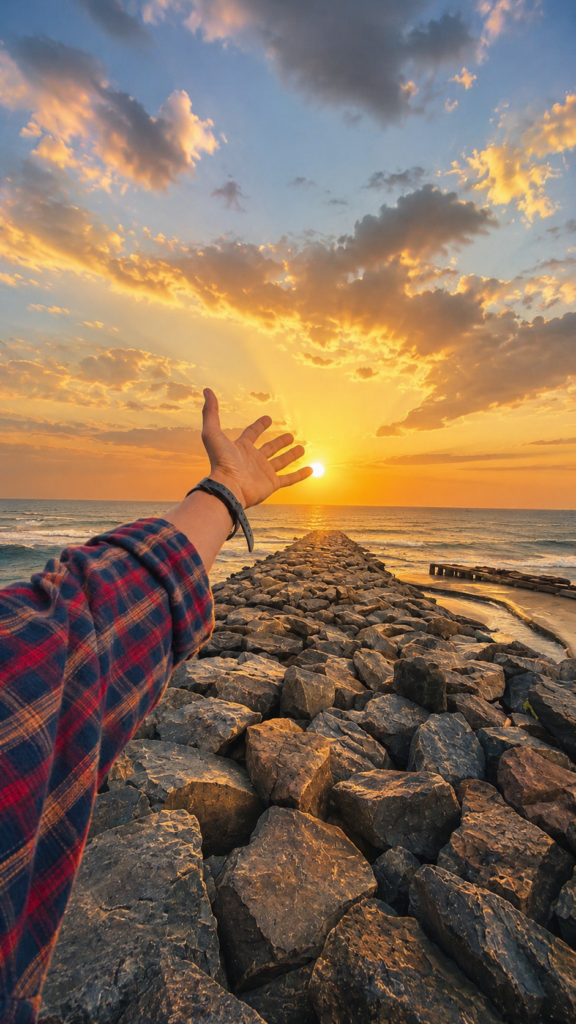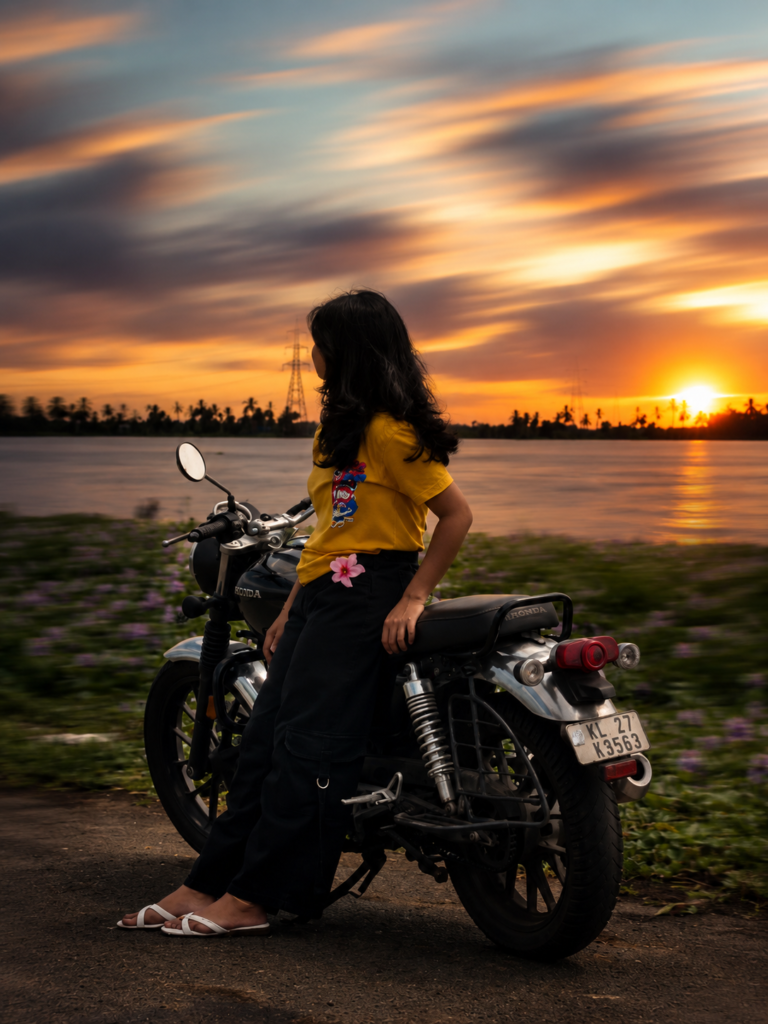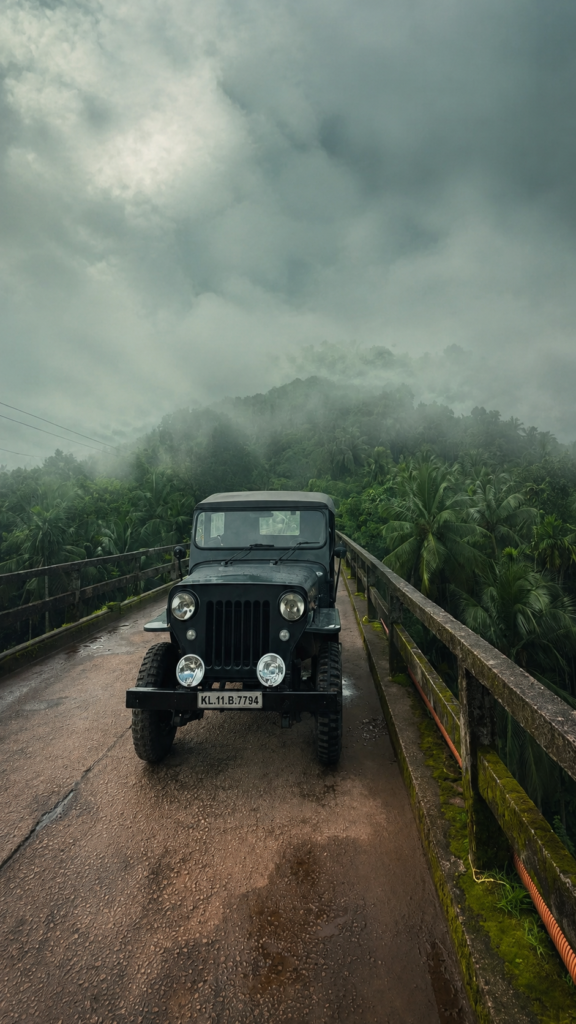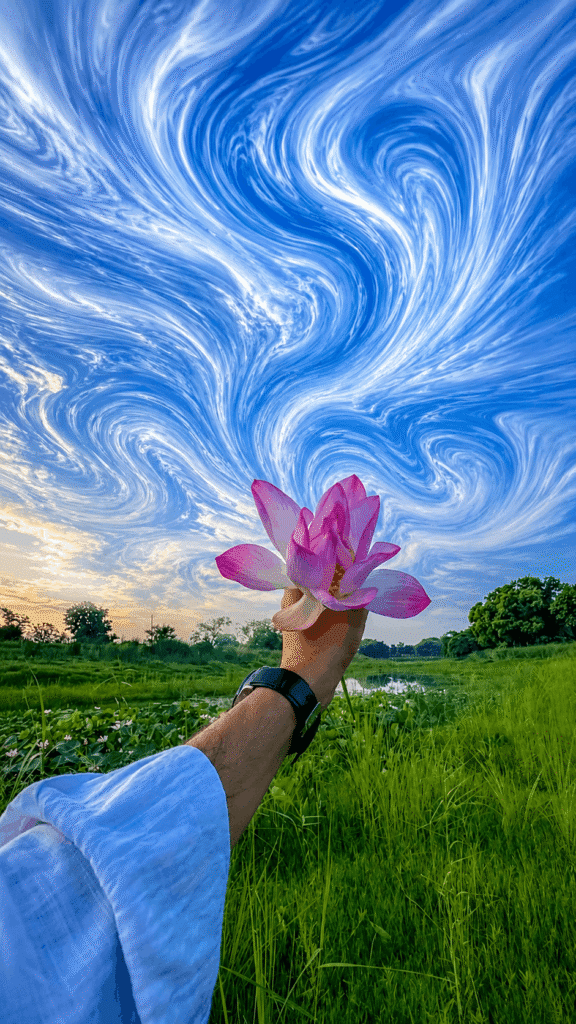
Liquid Marble Swirl Sky AI Prompt Cinematic Sky Edits with ChatGPT
PROMPT
Transform uploaded images into premium, surreal liquid marble swirl effect stretching digital artwork, featuring only the sky with a large, flowing swirl pattern, while keeping the main subject sharp, detailed, and recognizable. Keep people and the foreground realistic and unchanged. Preserve the subject's original identity, silhouette, lighting, and composition.

Extract color, texture, and atmosphere from the image and extend it outward into a smooth, flowing swirl effect stretching ribbon that follows elegant curves and dynamic movement. Create a seamless transition between the original photo and the stretched area, without interruption, broken swirls, or rough edges. The stretched swirl should look smooth, flowing, and organic—like a stream of color, light, paint, smoke, or energy flowing through the scene.

Preserve depth, shadows, reflections, and realistic natural lighting. Enhance images with cinematic contrast, vibrant HDR colors, ultra-sharp details, and a luxurious digital art aesthetic.

Style: Adobe Photoshop swirl stretching effects, fluid motion blur, flowing light trails, abstract energy waves, gallery-quality digital artwork, modern minimalist compositions, cinematic photography, 8K ultra-high resolution, premium social media masterpieces. Keep the subject intact and clear while the environment transforms into artistic fluid motion.
Description
Modern AI photo editing is no longer just about changing colors or adding filters. Today, creators want edits that look artistic while still feeling realistic. One of the biggest trends in 2026 is the Liquid Marble Swirl Sky AI Prompt, a creative prompt that transforms an ordinary sky into a flowing masterpiece without changing the person or the foreground.
Unlike traditional AI effects that often replace the entire image, this prompt focuses only on the sky. The result is a premium liquid marble swirl effect that blends naturally with the original scene. The subject stays completely sharp and recognizable, while the sky turns into an elegant stream of color, light, and motion. This combination creates an image that looks both realistic and surreal at the same time.
What is the Liquid Marble Swirl Sky AI Prompt?
The Liquid Marble Swirl Sky AI Prompt is a specially written instruction that tells AI image generators to transform only the sky into a smooth, flowing marble-style artwork while preserving everything else in the photograph.
Instead of changing the entire image, the prompt carefully protects the subject, foreground, lighting, and composition. The AI extracts the colors, atmosphere, and textures from the original sky and stretches them into elegant swirl patterns that resemble flowing paint, smoke, silk, or liquid marble.
Full AI Prompt

Why This AI Prompt Is Trending in 2026
AI-generated artwork has become much more realistic over the last year. Instead of replacing entire photos with fantasy scenes, creators now prefer subtle edits that enhance reality rather than hiding it. That shift has made the Liquid Marble Swirl Sky effect one of the fastest-growing AI editing styles in 2026.
Another reason for its popularity is social media engagement. Images created with this prompt immediately grab attention because the unusual sky creates a strong visual contrast while the subject remains authentic. This combination encourages viewers to stop scrolling and spend more time looking at the photo.
Features of This AI Prompt
One of the strongest qualities of this prompt is how naturally it blends creativity with realism. Rather than covering the entire photograph with artistic effects, it focuses on improving the sky while leaving the main subject untouched. This creates a balanced result that feels polished instead of over-edited.
The prompt also preserves important details such as facial features, clothing textures, body posture, and the original lighting. This makes portraits look authentic while still adding a dramatic artistic atmosphere.
How to Use This Prompt in ChatGPT
Using this prompt is much easier than many people expect. You don’t need editing experience or design knowledge to create beautiful results.
Begin by selecting an outdoor image where the sky is clearly visible. Landscapes, portraits, travel photos, and nature shots usually produce the best outcome because the AI has enough sky area to transform into flowing marble artwork.
After choosing your image, upload it into ChatGPT’s image generation or editing interface. Once the image is uploaded, simply paste the complete prompt exactly as written. The AI will analyze the original colors, lighting, textures, and atmosphere before creating the swirl effect.
Within a short time, the generated image will show a dramatic artistic sky while preserving the person, foreground, and overall composition. If you want an even stronger swirl effect, you can slightly adjust descriptive words such as larger swirl, more dramatic motion, richer HDR colors, or stronger cinematic lighting without changing the core structure of the prompt.
Finally, download the highest-quality version available so the image remains sharp when shared on Instagram, Pinterest, Facebook, or other social media platforms.
Best Settings for Better Results
| Setting | Recommended Value |
|---|---|
| Style | Surreal Liquid Marble Digital Art |
| Quality | 8K Ultra HD |
| Lighting | Natural Cinematic HDR |
| Camera | Wide Angle Landscape |
| Aspect Ratio | 4:5 for Instagram, 9:16 for Reels & Stories, 1:1 for Posts |
Pro Tips for Creating Viral Liquid Marble Swirl AI Images
A great prompt is only one part of the editing process. The original image also plays a major role in the final result. Photos with a wide and open sky usually create the most dramatic swirl patterns because the AI has enough space to generate smooth flowing artwork. If the sky is very small or hidden behind buildings, the effect may not appear as impressive.
Natural lighting can also make a big difference. Pictures taken during sunrise, sunset, or the golden hour often produce richer colors because the AI has more natural tones to work with. Even on cloudy days, soft lighting helps create beautiful marble textures without making the image look unrealistic.
Try to keep the subject positioned slightly away from the center whenever possible. This gives the swirl effect more room to expand across the sky while maintaining a balanced composition. Images with mountains, lakes, forests, open roads, rivers, beaches, and green fields usually generate the most eye-catching results.
Common Mistakes to Avoid
Many beginners expect the AI to create a perfect result regardless of the original photograph. In reality, the quality of the source image still matters. Low-resolution photos or images with heavy compression usually reduce the overall sharpness of the final artwork.
Another common mistake is using indoor photos. Since this prompt is designed to transform the sky, images without visible sky give the AI very little space to create the signature liquid marble effect.
Where Can You Use These AI Images?
One of the reasons this prompt has become so popular is its versatility. The edited images look premium across almost every social media platform while maintaining a realistic appearance.
Instagram creators often use these images for feed posts, Stories, carousel posts, and Reels covers because the dramatic sky immediately catches attention while the subject remains authentic.
Facebook users enjoy sharing cinematic travel photos, lifestyle portraits, and nature photography enhanced with this effect. The vibrant colors help images stand out in crowded news feeds without looking overly edited.
Why People Love This Prompt
Most AI image prompts completely replace the original photograph, making it difficult to recognize the person or location. This prompt solves that problem by protecting the most important parts of the image while only transforming the sky.
The balance between realism and creativity is what makes this editing style so appealing. People still recognize the original moment, but the artistic sky gives the photo a dreamlike atmosphere that feels both modern and cinematic.
Creators also appreciate how much time this prompt saves. Instead of spending hours masking the sky in Photoshop or creating digital paintings manually, the AI completes the transformation within minutes while maintaining impressive quality.
Another reason for its popularity is consistency. Once you find a version of the prompt you like, you can apply the same style across multiple images. This creates a recognizable visual identity for your Instagram page, photography portfolio, or personal brand.
Because the effect feels elegant rather than exaggerated, it appeals to a wide audience. Travel creators, photographers, influencers, designers, AI artists, and casual users can all use the same prompt without making their photos appear artificial.
Alternative Versions of This Prompt
If you enjoy experimenting with different artistic styles, you can slightly modify the original prompt while keeping its main concept. Small adjustments often create completely new visual moods without changing the overall editing workflow.
Version 1 – Soft Dreamy Marble Sky
This variation creates a lighter atmosphere with pastel colors, soft cloud movement, gentle marble textures, and subtle cinematic lighting. It works especially well for flower photography, portraits, parks, and peaceful landscapes.
Version 2 – Golden Sunset Swirl
This version transforms the sky into flowing golden ribbons filled with warm orange, pink, and amber tones. It is perfect for travel photography, beaches, mountains, and sunset portraits where warm lighting naturally enhances the artistic effect.
Version 3 – Blue Cosmic Energy Swirl
This variation introduces deep blue gradients, glowing white streaks, and abstract energy waves while preserving realistic foreground details. It creates a dramatic futuristic atmosphere that works beautifully for motorcycle photography, cityscapes, and wide landscape scenes.
FAQs
What is the Liquid Marble Swirl Sky AI Prompt?
It is an AI photo editing prompt that transforms only the sky into a flowing marble-style artwork while preserving the subject, foreground, lighting, and original composition.
Can I use this prompt in ChatGPT?
Yes. If your version of ChatGPT supports AI image generation or editing, simply upload your image and paste the prompt to create the effect.
Does this prompt work with portraits?
Absolutely. Outdoor portraits often produce the best results because the AI keeps the person unchanged while enhancing the sky.
Is this prompt suitable for Instagram?
Yes. It is designed for high-quality social media content and works especially well for Instagram posts, Stories, and Reels covers.
Can beginners use this prompt?
Yes. No Photoshop or advanced editing knowledge is required. Simply upload your image and use the prompt as provided.
Which photos produce the best results?
Images with a large visible sky, natural lighting, and high resolution usually create the most impressive marble swirl effects.
Can I edit travel and landscape photos?
Yes. Travel photography, mountains, forests, beaches, countryside roads, lakes, and open fields are excellent choices for this prompt.
Will the AI change my face?
No. The prompt specifically instructs the AI to preserve the subject’s identity, facial details, lighting, and composition while modifying only the sky.
Is this prompt free to use?
The prompt itself can be used freely. However, access to AI image generation depends on the platform or service you choose.
Can I customize the prompt?
Yes. You can enhance it with additional cinematic lighting, seasonal colors, or stronger swirl effects while keeping the original preservation instructions intact.