Create Stunning Fujifilm-Inspired AI Photos with ChatGPT
PROMPT
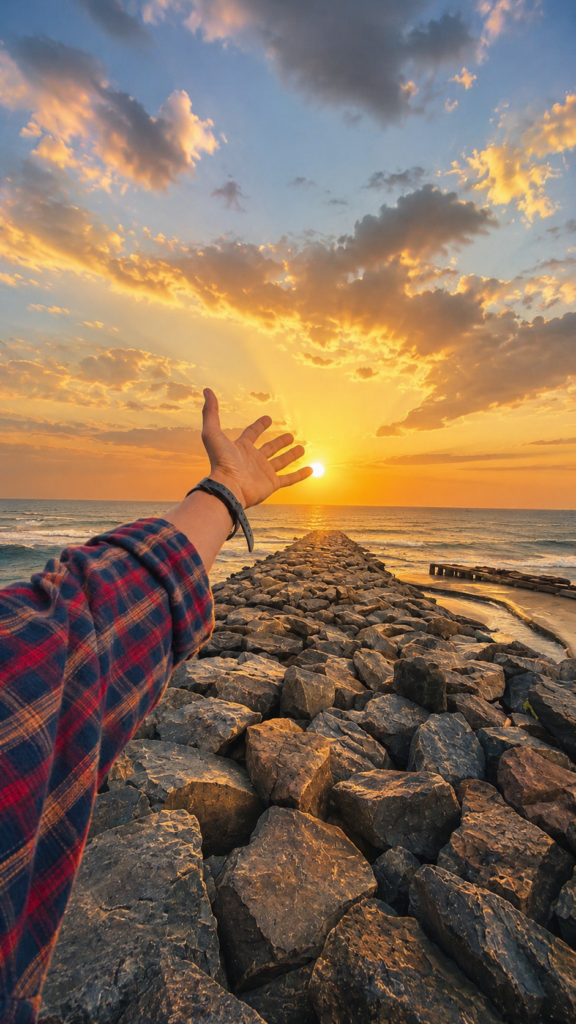
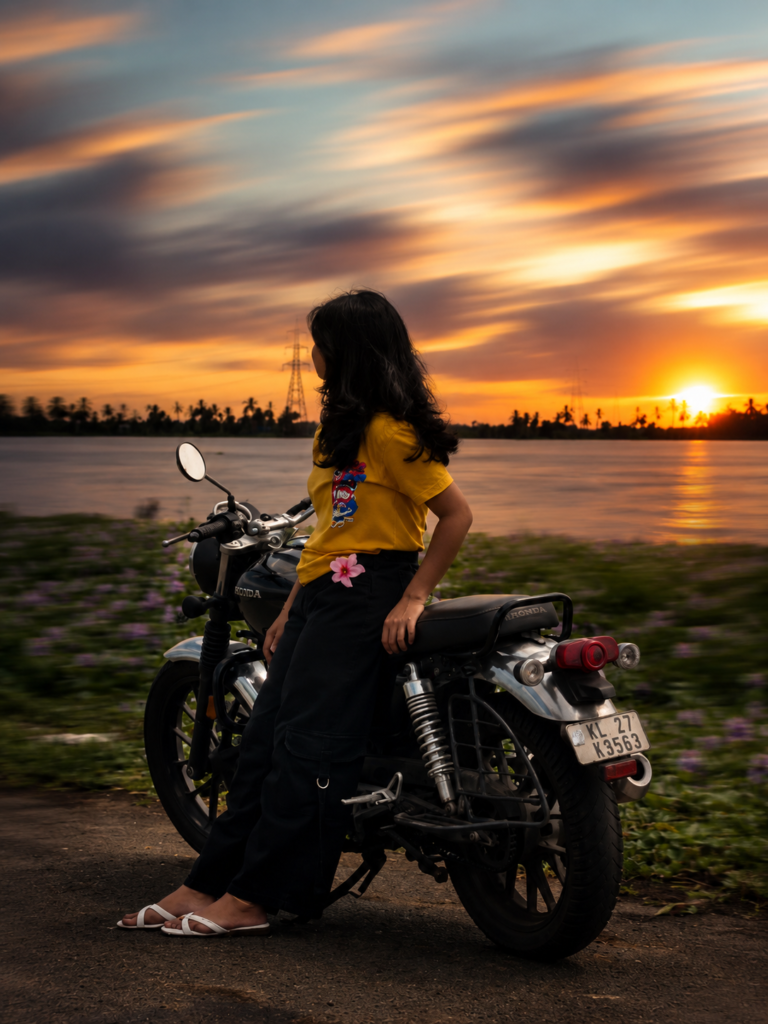
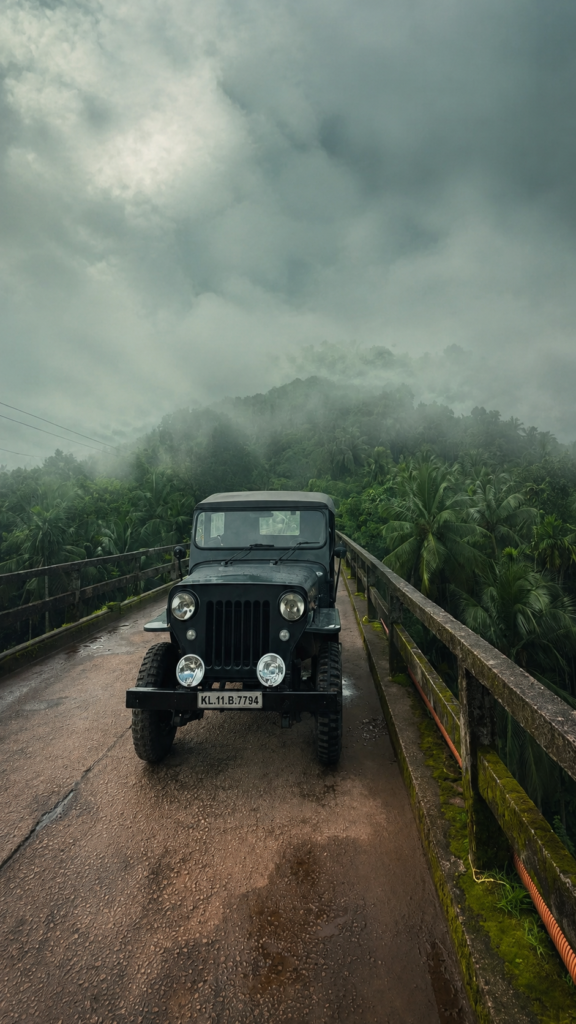
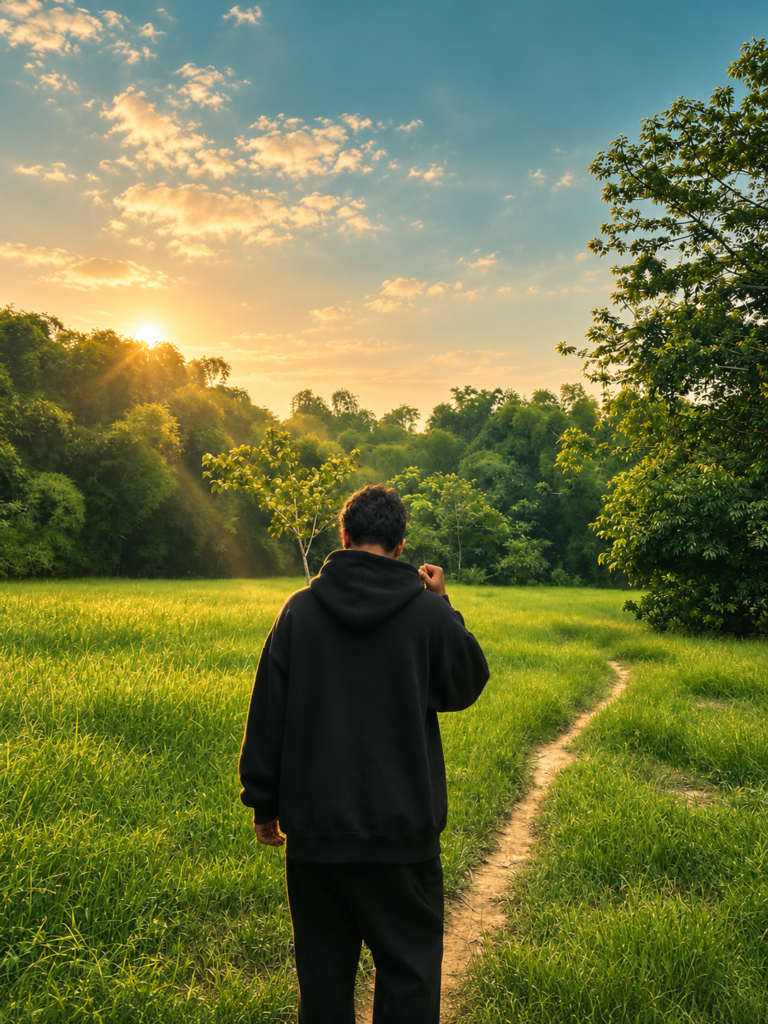
Apply a cinematic film-grade transformation to the uploaded image using COLOR, LIGHT, and ATMOSPHERE adjustments only. Preserve the subject with absolute fidelity: keep the exact pose, facial features, identity, skin texture, body proportions, clothing, camera angle, framing, composition, and object placement unchanged. Do not add, remove, or reposition any people or major objects. Create a natural cinematic look with low-angle directional light, realistic rim light, soft falloff, dreamy haze, subtle volumetric god rays, delicate bloom, warm golden highlights, cool desaturated shadows, rich filmic colors, medium saturation, and natural contrast. Emulate Fujifilm X-Series color science with a blend of Classic Chrome and Nostalgic Neg. Soft warm highlights, slightly cool shadows, muted yet rich greens, natural skin tones, gentle color separation, subtle cyan-blue sky tones, and earthy colors. Medium-low saturation with refined contrast.
Description
Social media has changed the way people edit photos. Instead of spending hours adjusting colors in Lightroom or Photoshop, many creators now use AI prompts to achieve professional-looking results within minutes. One of the biggest trends in 2026 is the Cinematic Film Grade Photo Editing Prompt, which transforms an ordinary image into a movie-like masterpiece while keeping every important detail intact.
Unlike traditional AI editing prompts that completely redesign an image, this prompt focuses only on improving color, lighting, and atmosphere. That means your pose, facial features, clothing, camera angle, background, and composition remain exactly the same. The AI simply enhances what is already there, giving your photo the polished look of a professionally color-graded film.
Whether you’re creating Instagram posts, Facebook uploads, Pinterest pins, wallpapers, travel memories, or portfolio images, this prompt helps produce natural cinematic results that feel realistic instead of overly edited. The soft golden highlights, cool shadows, subtle haze, and Fujifilm-inspired color science make every image look premium without losing authenticity.
What is the Cinematic Film Grade Photo Editing Prompt?
The Cinematic Film Grade Photo Editing Prompt is an advanced AI editing instruction designed to improve the visual quality of an uploaded image through professional color grading rather than image manipulation.
Instead of asking AI to replace backgrounds, generate new objects, or redesign faces, this prompt tells ChatGPT to preserve every important detail while applying realistic cinematic adjustments. The result feels like the photo was captured using an expensive cinema camera instead of being heavily edited.
This prompt works particularly well because it focuses on three important areas: color, light, and atmosphere. These are the same elements professional filmmakers adjust during post-production to create emotional and visually engaging scenes.

Why This Cinematic AI Prompt is Trending in 2026
AI photo editing has become much smarter during 2026. Earlier prompts often replaced backgrounds, distorted faces, or changed important parts of an image. Today’s creators, however, prefer prompts that improve quality without changing identity.
That is one of the biggest reasons this cinematic film-grade prompt has become so popular.
Creators want their photos to look professional while still feeling authentic. Friends, followers, and clients appreciate edits that enhance reality instead of completely replacing it. This prompt achieves exactly that by treating the uploaded image like a professional colorist would during film production.
Features of This Cinematic AI Prompt
This prompt stands out because every instruction is carefully designed to improve realism instead of creating artificial-looking edits.
Some of its most impressive features include:
- Professional cinematic film-grade color correction.
- Complete preservation of the original subject.
- Natural warm highlights with cool cinematic shadows.
- Realistic low-angle directional lighting.
- Soft rim lighting around the subject.
- Dreamy atmospheric haze for added depth.
- Gentle volumetric light rays that look natural.
- Rich filmic colors inspired by Fujifilm cameras.
- Muted but vibrant green landscapes.
- Natural skin tones without oversaturation.
- Balanced medium saturation.
- Refined contrast that avoids harsh editing.
- Delicate bloom for a soft cinematic glow.
- Improved visual depth without changing composition.
These features work together to produce an image that feels professionally color graded while still looking like an authentic photograph.
How to Use This Prompt in ChatGPT
Using this prompt is surprisingly simple, even if you have never edited a photo before.
Start by opening ChatGPT and selecting the image editing feature. Upload the photograph you want to enhance. For the best results, use a high-quality image with good lighting and clear details.
Also Read: Liquid Marble Swirl Sky AI Prompt Cinematic Sky Edits with ChatGPT
Once the image is uploaded, paste the complete cinematic film-grade prompt into the chat. The instructions tell ChatGPT to improve only the lighting, colors, and atmosphere while preserving every detail of the original subject.
After generating the image, compare it with the original version. You will notice warmer highlights, deeper colors, richer shadows, improved depth, and a more cinematic mood without losing the authenticity of the photograph.
Best Settings for Better Results
| Setting | Recommended Value |
|---|---|
| Style | Cinematic Film Grade |
| Quality | Ultra High |
| Lighting | Low-Angle Directional Light |
| Camera Look | Fujifilm Classic Chrome + Nostalgic Neg |
| Color Tone | Warm Highlights with Cool Shadows |
| Atmosphere | Soft Haze & Volumetric God Rays |
| Contrast | Natural |
| Saturation | Medium-Low |
| Sharpness | High |
| Aspect Ratio | Original Image Ratio |
Pro Tips for Creating Viral Cinematic AI Photos
The quality of your final image depends on much more than simply copying a prompt. A few smart choices before uploading your photo can make the cinematic effect look significantly more realistic.
Always begin with a clear, high-resolution image. AI can enhance lighting and colors beautifully, but it cannot fully recover details that were never captured. Images with proper focus naturally produce more professional results.
Natural daylight works especially well with this cinematic film-grade prompt. Morning and late afternoon photographs usually contain softer light, allowing the warm highlights and cool shadows to blend naturally into the scene.
Also Read: Hollywood Cinematic Portrait AI Prompt, Trending DP Profile How to Make Guide
Avoid applying heavy filters before using the prompt. Let ChatGPT work with the original image so the cinematic grading remains clean and balanced instead of looking overly processed.
Landscape, travel, street photography, portraits, forests, beaches, mountains, waterfalls, villages, and city streets all respond beautifully to this style because the atmospheric lighting creates additional depth.
Keeping the original aspect ratio is another helpful practice. It preserves the framing and allows the AI to focus entirely on enhancing colors, light, and atmosphere instead of reconstructing missing areas.
Common Mistakes to Avoid
Many beginners expect AI to completely transform an image into something different. However, this prompt is designed for enhancement rather than replacement. Understanding its purpose helps produce much better results.
Avoid uploading blurry or heavily compressed images because the AI has fewer details available for enhancement. Starting with a cleaner photo almost always produces superior cinematic grading.
Do not apply multiple editing apps before using the prompt. Over-processed images often create unnatural colors and reduce the effectiveness of the Fujifilm-inspired color science.
Changing the wording of important instructions can also affect consistency. The sections related to preserving facial features, composition, clothing, and object placement should remain unchanged if you want reliable results.
Where Can You Use These Cinematic Images?
One of the biggest advantages of this cinematic editing style is its versatility. The final images look professional enough for both personal memories and creative projects.
Instagram creators frequently use cinematic edits to make travel photos, portrait sessions, nature photography, and lifestyle posts stand out in crowded feeds. The soft film-like colors immediately catch attention while still appearing authentic.
Facebook users enjoy these edits because they make everyday photographs feel more memorable. Family trips, vacations, celebrations, and outdoor adventures all gain a polished visual style without looking unrealistic.
Frequently Asked Questions (FAQs)
Can I use this cinematic film grade prompt with any photo?
Yes. This prompt works with most images, including portraits, travel photos, landscapes, nature photography, street scenes, and lifestyle pictures. The AI enhances lighting, color, and atmosphere while preserving the original subject and composition.
Does this prompt change the person’s face or pose?
No. One of the biggest advantages of this prompt is that it specifically instructs ChatGPT to preserve facial features, body proportions, clothing, camera angle, framing, and object placement. Only the cinematic look is enhanced.
Is this prompt suitable for beginners?
Absolutely. You don’t need professional editing experience to use it. Simply upload your photo, paste the prompt, and let ChatGPT apply the cinematic transformation. The process is quick and beginner-friendly.
Why does this prompt mention Fujifilm Classic Chrome and Nostalgic Neg?
These are popular Fujifilm film simulations known for producing natural colors, soft contrast, warm highlights, and beautiful cinematic tones. The prompt recreates a similar visual style using AI without requiring a Fujifilm camera.
Can I use this prompt for Instagram Reels and profile pictures?
Yes. Many creators use it for Instagram posts, profile photos, Reels covers, travel albums, and aesthetic feeds because it creates a premium, professional appearance without looking over-edited.
Does this prompt work with mobile photos?
Yes. Smartphone photos often produce excellent results, especially if the image is clear and captured in natural daylight. Higher-resolution images generally provide even better cinematic grading.
Conclusion
The Cinematic Film Grade Photo Editing Prompt has become one of the most reliable AI editing prompts of 2026 because it focuses on enhancement rather than transformation. Instead of creating an entirely new image, it preserves everything that makes the original photograph unique while introducing the rich color grading and atmospheric depth commonly associated with professional filmmaking.
Its combination of realistic lighting, warm golden highlights, cool cinematic shadows, delicate bloom, dreamy haze, and Fujifilm-inspired color science creates images that feel polished without appearing artificial. Whether you’re editing portraits, travel memories, nature photography, or everyday smartphone pictures, the results remain natural and visually impressive.