Foggy Forest Photo Editing Prompt for ChatGPT (2026)
PROMPT
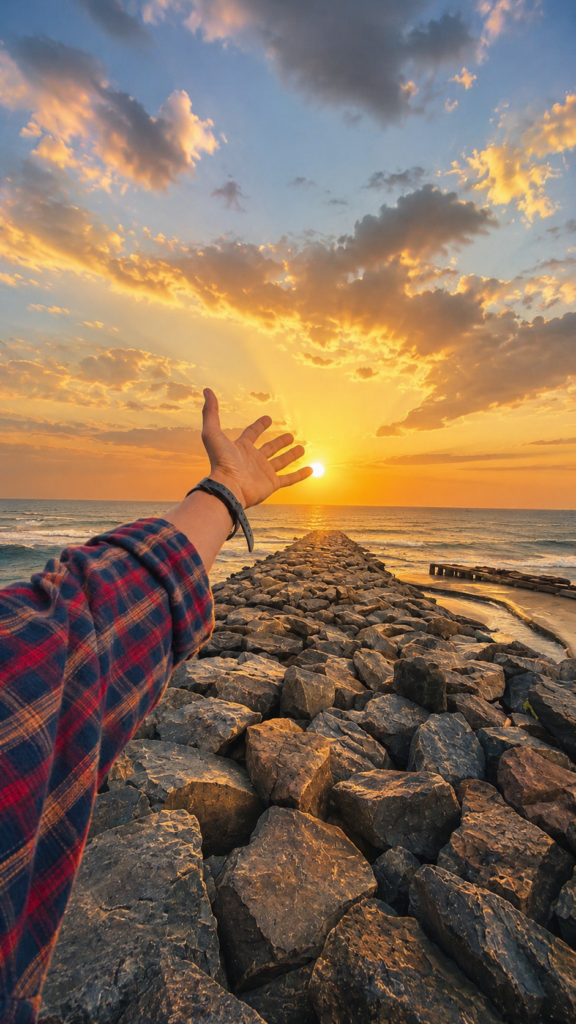
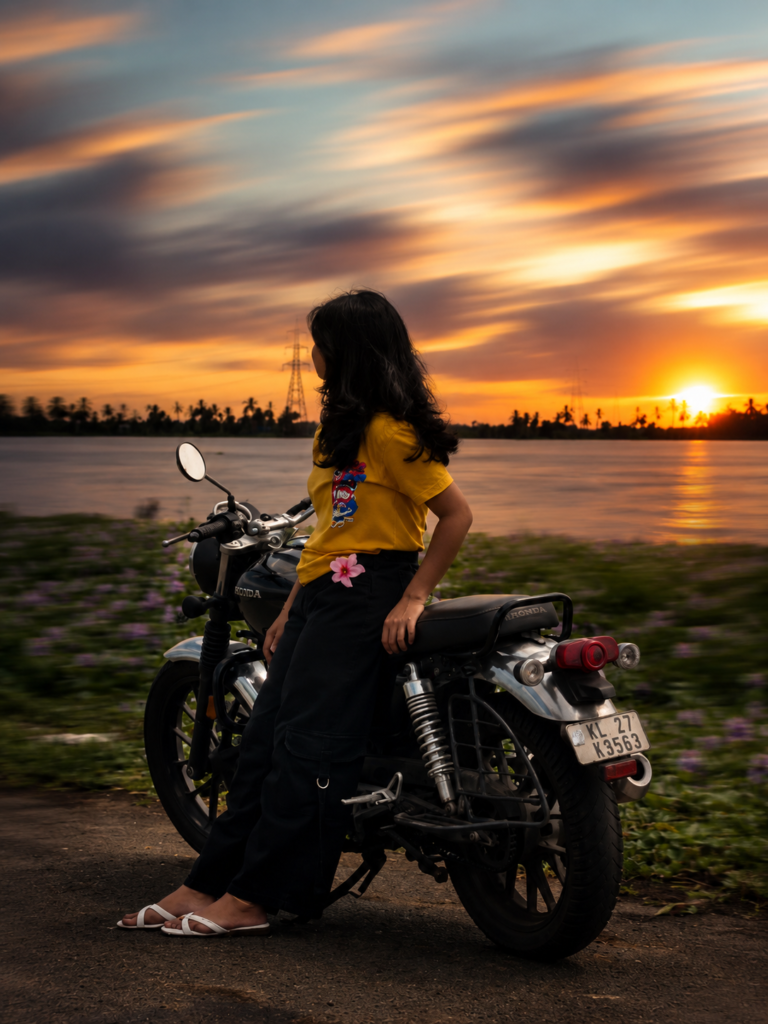
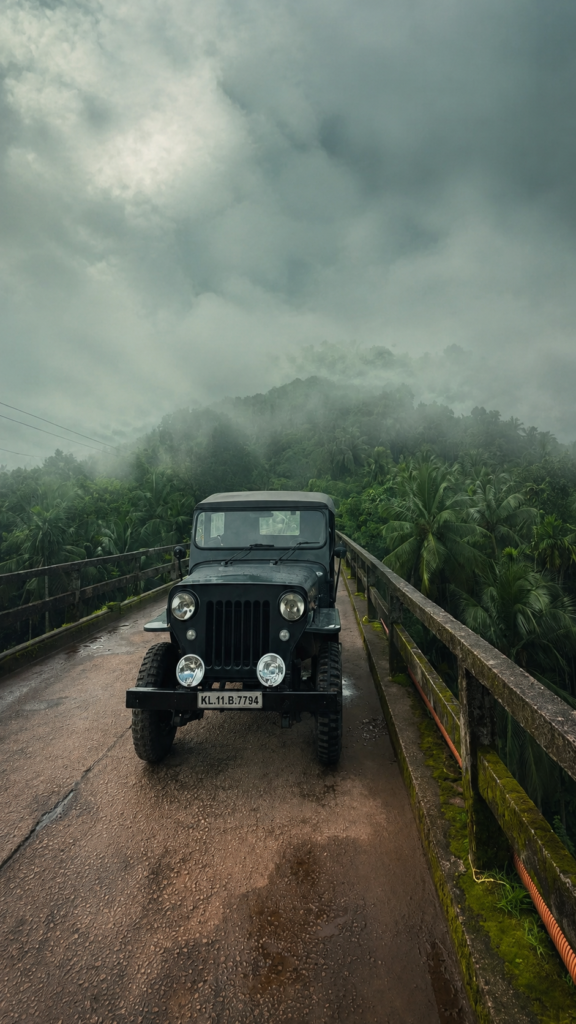
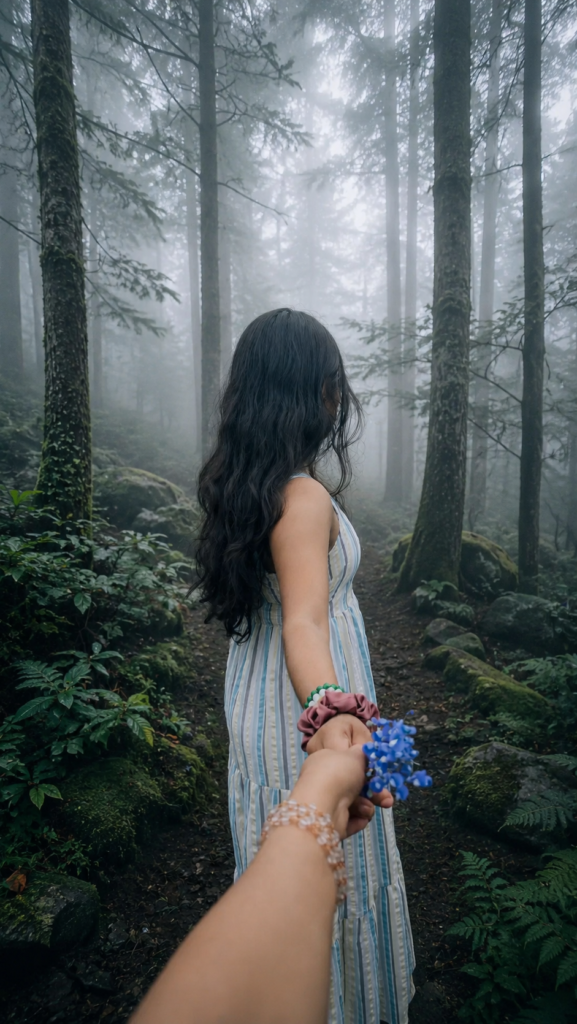
Transform this image into a breathtaking ultra-realistic foggy forest masterpiece. Add dense natural white fog covering the entire environment, creating a mysterious and cinematic atmosphere. Apply rich forest-inspired color grading with deep emerald green, dark teal, moss green, and earthy brown tones. Enhance the trees, foliage, and background elements to resemble a lush enchanted forest hidden in the mist. Introduce soft volumetric light rays subtly penetrating through the fog, creating depth and realism. Increase overall image quality to ultra-high-definition 4K resolution with razor-sharp details, HDR enhancement, realistic textures, balanced contrast, and natural color harmony. Improve shadows, highlights, and dynamic range while maintaining a realistic appearance. Add a moody woodland aesthetic, dreamy fog layers, atmospheric perspective, and professional cinematic photography grading. The final result should look like a premium DSLR forest photograph captured during a cold misty morning, with ultra-realistic details, immersive depth, soft natural lighting, and stunning visual quality. Style: Cinematic Forest Photography, Moody Nature, Dense Fog Weather, Volumetric Lighting, HDR, Ultra Realistic, Professional Color Grading, 4K Quality, DSLR Shot, Atmospheric Depth, Photorealistic.
Description
Nature photography has always been admired for its ability to capture peaceful landscapes and breathtaking scenery. Today, artificial intelligence has made it possible to recreate that same beauty with just a well-crafted prompt. Instead of spending hours editing images in professional software, creators can now transform ordinary photos into cinematic masterpieces in just a few seconds.
One of the biggest visual trends of 2026 is the Ultra Realistic Foggy Forest Photo Editing Prompt. This style combines dense white mist, dramatic woodland colors, cinematic lighting, and DSLR-quality realism to produce images that look as though they were captured deep inside an enchanted forest during a cold winter morning. The result is both mysterious and visually stunning, making it perfect for social media creators, photographers, designers, and AI art enthusiasts.
Whether you’re editing a portrait, landscape, travel photo, or lifestyle image, this AI prompt adds incredible atmosphere without making the image appear artificial. Rich emerald greens, earthy browns, volumetric sun rays, HDR enhancement, and photorealistic textures work together to create a premium cinematic look that instantly grabs attention.
Another reason creators love this prompt is its versatility. It works exceptionally well with ChatGPT image generation, AI-powered photo editing platforms, and modern image enhancement tools. Even beginners with no editing experience can produce professional-looking results simply by using the right prompt.
In this guide, you’ll discover everything you need to know about the Ultra Realistic Foggy Forest Photo Editing Prompt, why it has become one of the hottest AI editing trends of 2026, and how you can use it to create breathtaking images that stand out across Instagram, Pinterest, Facebook, and beyond.
What is Ultra Realistic Foggy Forest Photo Editing?
Ultra Realistic Foggy Forest Photo Editing is an advanced AI-powered editing style that transforms ordinary photographs into cinematic woodland scenes filled with natural fog, atmospheric lighting, and realistic environmental details.

Unlike traditional photo filters that only adjust colors or brightness, this editing style completely enhances the mood of an image. AI intelligently recreates realistic fog layers, improves surrounding vegetation, balances shadows and highlights, sharpens textures, and applies professional cinematic color grading.
The goal isn’t to make the image look fake or fantasy-like. Instead, it creates the illusion that the original photograph was captured in a real forest during a misty morning using a high-end DSLR camera.
Because the atmosphere feels natural and immersive, these edited images often receive higher engagement than standard photographs.
Featured Snippet
Ultra Realistic Foggy Forest Photo Editing is an AI-powered editing style that transforms ordinary photos into cinematic forest scenes using dense natural fog, HDR enhancement, volumetric lighting, realistic textures, professional color grading, and 4K-quality image enhancement.
Why This AI Prompt is Trending in 2026?
Artificial intelligence has completely changed the creative industry. Instead of manually adjusting dozens of editing settings, creators now rely on carefully written prompts that instruct AI to perform complex edits automatically.
The Ultra Realistic Foggy Forest Prompt has quickly become one of the most searched AI photo editing prompts because it delivers stunning professional-quality results with minimal effort.
Several reasons explain its growing popularity.
Cinematic Visual Appeal
Modern audiences are naturally attracted to dramatic, movie-like visuals. Dense fog, soft lighting, and rich forest colors create emotional depth that instantly captures attention while scrolling through social media feeds.
Professional DSLR Look
Many creators dream of achieving the premium appearance of expensive DSLR cameras. This prompt recreates realistic depth, sharpness, dynamic range, and natural lighting that closely resembles professional photography.
Perfect for Social Media
Instagram, Facebook, Pinterest, Threads, and YouTube all reward visually attractive content. Images enhanced with cinematic fog effects often generate more likes, saves, shares, and comments because they stand out among ordinary photos.
Beginner Friendly
One of the biggest advantages is simplicity. Users don’t need advanced Photoshop skills or years of editing experience. The AI performs most of the complex enhancements automatically.
Realistic Instead of Artificial
Unlike many AI-generated effects that appear exaggerated, this prompt focuses on realism. Natural fog density, balanced lighting, authentic shadows, and subtle color grading help preserve the original beauty of the photograph.
Works with Multiple Image Types
The prompt isn’t limited to landscapes. It works beautifully with:
- Portrait photography
- Couple photography
- Travel photography
- Adventure photography
- Wildlife photography
- Lifestyle photography
- Mountain photography
- Road trip photography
- Forest hiking photography
This flexibility makes it valuable for almost every type of content creator.
AI Creativity Meets Photography
Instead of replacing photography, AI enhances it. Creators can preserve the original composition while dramatically improving atmosphere, lighting, and environmental realism.
That balance between authenticity and creativity is one of the biggest reasons this prompt has become a favorite among AI image creators in 2026.
Features of This Prompt
The Ultra Realistic Foggy Forest Photo Editing Prompt includes a carefully balanced combination of professional photography techniques and AI-powered enhancements. Each element contributes to a cinematic, immersive final image that feels realistic rather than over-edited.
Some of its standout features include:
These carefully combined enhancements make the prompt suitable for both casual social media users and professional digital artists looking to create premium-quality visuals.
Full AI Prompt
Copy and paste the following prompt into ChatGPT or your preferred AI image editing tool to recreate the cinematic foggy forest effect.
How to Use This Prompt in ChatGPT?
Creating a cinematic foggy forest image is much easier than many beginners expect. Modern AI image generation and editing tools can understand detailed prompts and apply realistic enhancements automatically. Simply follow the steps below to achieve the best possible results.
Step 1: Choose a High-Quality Image
Start with a clear, high-resolution photograph. Images taken in daylight usually produce the most realistic results because AI has more details to work with.
Avoid blurry or heavily compressed images, as they may reduce the overall quality of the final result.
Step 2: Upload Your Image
Open ChatGPT or your preferred AI image editing platform.
Upload the original image you want to transform. Make sure the upload is complete before entering the editing prompt.
A higher-quality source image will always produce more realistic fog, lighting, and texture enhancements.
Step 3: Copy and Paste the Prompt
Copy the complete Ultra Realistic Foggy Forest Photo Editing Prompt provided earlier in this article.
Paste it directly into the AI editor without removing any important instructions.
Every sentence in the prompt contributes to the final result, including:
Step 4: Generate the Image
Click the Generate or Edit Image button and allow the AI to process your request.
Depending on the platform and image resolution, generation may take anywhere from a few seconds to a minute.
During this process, AI analyzes your image and intelligently applies realistic environmental enhancements while preserving the original composition.
Step 5: Fine-Tune the Final Result
Once the image is generated, review the overall appearance.
If necessary, slightly adjust:
Avoid making excessive adjustments, as subtle edits often produce the most natural and cinematic results.
Following these five simple steps will help you create stunning AI-enhanced forest photographs that look professionally edited.
Best Settings for Better Results
Although the prompt performs exceptionally well on its own, using the right image generation settings can significantly improve the realism and visual impact of your final artwork.
| Setting | Recommended Value |
|---|---|
| Style | Cinematic Forest Photography |
| Quality | Ultra HD 4K |
| Lighting | Soft Natural Morning Light |
| Camera | DSLR Professional Look |
| Aspect Ratio | 4:5 (Instagram), 16:9 (Wallpaper), 1:1 (Social Media) |
| Color Grading | Emerald Green, Moss Green, Earth Brown |
| HDR | High |
| Fog Density | Medium to Dense |
| Texture Detail | Maximum |
| Sharpness | High but Natural |
| Dynamic Range | Wide |
| Atmosphere | Cold Misty Morning |
| Depth | Cinematic |
| Rendering Style | Ultra Realistic |
| Visual Mood | Moody Woodland |
These settings complement the prompt and help AI generate a more balanced, photorealistic image with professional-quality depth.
Pro Tips for Viral Results
Want your edited images to stand out on Instagram, Pinterest, Facebook, or other social platforms? Use these practical tips to maximize quality and engagement.
1. Use High-Resolution Source Images
The better your original photo, the better AI can recreate realistic fog, textures, and lighting.
2. Don’t Overuse Fog
Too much fog can hide important details.
A balanced amount creates mystery without reducing image clarity.
3. Natural Lighting Always Wins
Morning or soft daylight photographs generally produce the most realistic cinematic results.
4. Keep Colors Realisti
Avoid oversaturated greens.
Natural forest tones appear more professional and visually pleasing.
5. Leave Negative Space
Images with clean compositions perform better on Instagram because text and captions can be added easily.
6. Focus on Atmospheric Depth
Foreground, midground, and background separation makes the image look like it was captured with an expensive camera.
7. Maintain Realistic Skin Tones
If editing portraits, ensure the AI doesn’t overly tint skin green or blue.
Natural skin colors create a more believable final image.
8. Use HDR Carefully
HDR should enhance details—not make the image look artificial.
Balanced HDR creates premium DSLR-quality photographs.
9. Experiment with Different Forest Moods
Try variations like:
- Early morning mist
- Rainforest atmosphere
- Autumn woodland
- Snow-covered forest
- Mountain pine forest
Small prompt adjustments can produce dramatically different results.
10. Keep the Composition Simple
Busy backgrounds often distract viewers.
Simple compositions with one clear subject usually receive higher engagement.
11. Export at Maximum Resolution
Always save the final image in the highest available resolution to preserve texture quality across all platforms.
12. Test Multiple Versions
Generate two or three variations of the same image.
Sometimes a small difference in lighting or fog placement can completely transform the final result.
Common Mistakes to Avoid
Even a powerful AI prompt can produce less-than-perfect results if used incorrectly. Avoid these common mistakes for consistently professional outcomes.
- Using low-quality or blurry images
- Applying excessive fog that hides the subject
- Oversaturating forest colors
- Ignoring natural lighting
- Over-sharpening textures
- Choosing unrealistic HDR levels
- Cropping important visual elements
- Using heavily compressed images
- Mixing too many editing styles together
- Forgetting to review the final image before publishing
- Adding artificial lens effects unnecessarily
- Using incorrect aspect ratios for social media platforms
Avoiding these mistakes helps maintain realism while achieving a polished cinematic appearance.
Where Can You Use These Images?
One of the biggest strengths of this AI prompt is its versatility. The final images work beautifully across multiple digital platforms and creative projects.
Perfect for:
- Feed posts
- Carousel posts
- Stories
- Reels covers
- Profile highlights
The cinematic forest aesthetic naturally attracts attention and encourages users to stop scrolling.
Use these images for:
- Personal profiles
- Photography pages
- Nature communities
- AI art groups
- Cover photos
Professional-looking visuals often generate better engagement than standard edits.
YouTube Thumbnails
Moody forest backgrounds make excellent thumbnails for:
- Adventure videos
- Cinematic edits
- Travel vlogs
- Storytelling channels
- AI tutorial videos
High-contrast images improve thumbnail visibility.
WhatsApp Display Picture (DP)
A clean cinematic portrait with subtle fog creates a stylish and premium profile picture without looking over-edited.
Pinterest users love aesthetic photography.
Foggy woodland images perform well in categories such as:
- Nature photography
- Moody aesthetics
- AI art inspiration
- Photography inspiration
- Digital wallpapers
Blog Posts
These images are ideal for:
- AI tutorials
- Photography guides
- Travel blogs
- Nature articles
- Creative portfolios
- Digital art showcases
High-quality visuals improve user engagement and make blog content more visually appealing.
Why People Love This Prompt?
The popularity of the Ultra Realistic Foggy Forest Photo Editing Prompt goes beyond its impressive visual effects. People appreciate it because it combines creativity, realism, and simplicity into a single workflow.
Unlike traditional editing methods that require advanced software and years of experience, this prompt allows beginners and professionals alike to create cinematic-quality images with minimal effort. The realistic fog, balanced lighting, HDR enhancement, and DSLR-inspired color grading give ordinary photographs a premium look that feels authentic rather than artificial.
Another reason users enjoy this prompt is its flexibility. It works equally well for portraits, travel photography, landscapes, lifestyle shots, and even social media content. Instead of forcing a single artistic style, it enhances the natural beauty of each image while preserving important details.
Creators also value the emotional atmosphere it produces. Dense mist, soft light rays, and woodland color tones evoke feelings of calm, mystery, adventure, and wonder. These emotions encourage viewers to spend more time looking at the image, increasing engagement across platforms like Instagram, Pinterest, and Facebook.
Most importantly, the prompt delivers consistent, professional-looking results without requiring expensive equipment or complex editing skills. That combination of quality, accessibility, and visual storytelling is exactly why it continues to trend among AI creators, photographers, and content makers in 2026.