Prompt Details
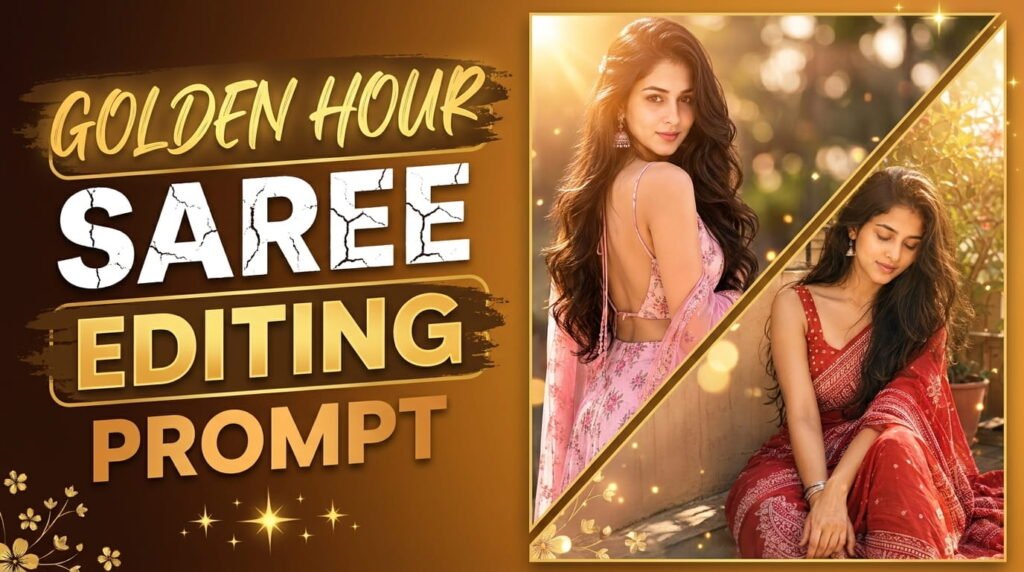
Golden Hour Saree Editing Prompt
Shared by on June 13, 2026
PROMPT
AI image generation has transformed digital photography and content creation, letting creators produce professional-looking visuals without expensive gear or studios. If you want cinematic, DSLR-style Indian saree portraits for Instagram reels, Pinterest pins, fashion blogs, or thumbnails, a well-crafted prompt is essential. This article explains how to refine your “Golden Hour Saree” prompt, create variations, and get consistent ultra-realistic results across AI models like Midjourney, DALL·E, and Stable Diffusion.


Why Detailed Prompts Matter


AI models need specific, descriptive instructions. Vague prompts often produce:


Blurry faces, anatomical errors, or extra fingers.


Cartoonish or stylized results when realism is desired.


Incorrect lighting or low-resolution outputs.Specifying outfit, pose, hair, jewelry, lighting, camera settings, background, stylistic keywords, and negative prompts reduces common AI artifacts and improves realism.


Breaking Down Your Base Prompt


Key elements from your prompt:


Subject: young Indian woman in a soft pink floral saree/ethnic outfit with a deep backless design.


Pose: body turned away, looking back over the shoulder with a soft confident smile.


Hair & accessories: long silky dark brown loose waves, braided side hairstyle with hair clip, oxidized jhumka earrings.


Makeup & skin: glowing natural makeup, pink lips, sharp expressive eyes, smooth skin texture.


Lighting & mood: natural daylight, golden hour glow, soft highlights on hair, warm pastel grading, dreamy cinematic mood.


Camera look: 85mm lens, shallow depth of field, DSLR quality, ultra-detailed face.


Background: vintage wooden door with geometric window patterns, rustic textures, blurred earthy tones.


Style tags: hyper-realistic, Pinterest/Instagram reel aesthetic, soft glam, high-fashion portrait.


Negative prompt: blurry face, extra fingers, bad hands, unrealistic skin, cartoon, overexposed, low quality, distorted eyes, duplicate body parts, messy background, bad anatomy, artificial pose.


Step-by-Step Prompt Optimization


Primary concise promptUltra-realistic cinematic portrait of a young Indian woman in a soft pink floral saree with a deep backless design, looking back over her shoulder, natural golden hour daylight, long dark brown loose waves with braided side, oxidized jhumka earrings, glowing natural makeup, sharp eyes, smooth skin, elegant posture, vintage wooden door background, shallow depth of field, 85mm lens, DSLR quality, warm pastel color grading, Pinterest aesthetic.


Add photographic parametersInclude camera and exposure cues: 85mm lens look, f/1.8 shallow depth of field, ISO 100, soft rim light, subtle fill light, slight film grain, 4K ultra-realistic.


Add style and mood boostersAdd: cinematic golden hour glow, soft glam, fashion editorial lighting, premium ethnic campaign style, dreamy feminine aesthetic, realistic fabric texture, ultra-detailed face, soft highlights on hair.


Append the negative promptNegative: blurry face, extra fingers, bad hands, unrealistic skin, cartoon, overexposed, low quality, distorted eyes, duplicate limbs, messy background, bad anatomy, artificial pose.


Final single-line prompt example


  PROMPT DETAIL
  APNA TITLE YAHAN LIKHO
  Shared by @MoneyEarning  •  June 12, 2026


    ✦

      PROMPT
      Optimized for Midjourney / ChatGPT


    Ultra-realistic cinematic portrait of a beautiful young Indian woman wearing a soft pink floral ethnic outfit with a deep backless design, standing in front of a vintage wooden door with rustic textures. She is looking back over her shoulder toward the camera with a soft confident expression and subtle smile. Long silky dark brown hair styled in loose waves with braided side hairstyle and hair clip, traditional oxidized jhumka earrings, glowing natural makeup, pink lips, sharp eyes, smooth skin texture.Natural daylight photography, soft feminine aesthetic, elegant Indian fashion vibe, candid pose, luxurious ethnic beauty shoot, realistic fabric details, shallow depth of field, DSLR quality, ultra detailed face, soft highlights on hair, warm pastel color grading, Pinterest inspired aesthetic, realistic shadows, dreamy mood, high fashion portrait photography, authentic Indian beauty, 85mm lens look, 4K ultra realistic.Background: old vintage wooden door with geometric window patterns, neutral earthy tones, blurred cinematic background.Pose: body turned away from camera, face looking back toward lens, hair flowing naturally on shoulder, elegant posture.Style: hyper realistic, Instagram reel aesthetic, soft glam, cinematic portrait photography.--ar 9:16 --stylize 200 --quality 2Negative Prompt (important for realistic results):blurry face, extra fingers, bad hands, unrealistic skin, cartoon, overexposed, low quality, distorted eyes, duplicate body parts, messy background, artificial pose, bad anatomyOptional Add-ons:For more glow:“soft sunlight glow on skin, glossy hair shine”For luxury vibe:“premium ethnic fashion campaign style”For viral Instagram look:“trending reel aesthetic, influencer photography style”


    📋 Copy Prompt
    🤍 Like 0


  🔗 Share

    f
    𝕏
    ✉
    P
    🔗


(function(){
  // Unique ID — auto generate, duplicate IDs problem nahi hogi kabhi
  var uid = 'p' + Date.now();
  document.getElementById('pBox').id        = uid + 'Box';
  document.getElementById('pCopyBtn').id    = uid + 'Btn';
  document.getElementById('pLikeBtn').id    = uid + 'Like';
  document.getElementById('pLikeCount').id  = uid + 'Count';

  // Copy
  document.getElementById(uid+'Btn').onclick = function(){
    var text = document.getElementById(uid+'Box').innerText.trim();
    var btn  = document.getElementById(uid+'Btn');
    var ok = function(){
      btn.innerHTML = '✅ Copied!';
      btn.style.background = '#22c55e';
      setTimeout(function(){ btn.innerHTML='📋 Copy Prompt'; btn.style.background='#f97316'; }, 2000);
    };
    if(navigator.clipboard){ navigator.clipboard.writeText(text).then(ok).catch(function(){ fb(text); ok(); }); }
    else { fb(text); ok(); }
  };

  // Fallback copy
  function fb(t){
    var el = document.createElement('textarea');
    el.value = t; document.body.appendChild(el); el.select();
    document.execCommand('copy'); document.body.removeChild(el);
  }

  // Like
  var liked=false, count=0;
  document.getElementById(uid+'Like').onclick = function(){
    var btn   = document.getElementById(uid+'Like');
    var cEl   = document.getElementById(uid+'Count');
    liked = !liked; count += liked ? 1 : -1;
    if(liked){
      btn.innerHTML = '❤️ Liked '+count+'';
      btn.style.color='#e11d48'; btn.style.borderColor='#e11d48'; btn.style.background='#fff0f3';
    } else {
      btn.innerHTML = '🤍 Like '+count+'';
      btn.style.color='#6c63ff'; btn.style.borderColor='#e0e0f5'; btn.style.background='#fff';
    }
  };
})();


  PROMPT DETAIL
  APNA TITLE YAHAN LIKHO
  Shared by @MoneyEarning  •  June 12, 2026


    ✦

      PROMPT
      Optimized for Midjourney / ChatGPT


  Ultra Realistic Indian Girl Portrait Prompts: Create Stunning DSLR-Style AI Images with ChatGPT & AI GeneratorsSEO Title:Ultra Realistic Indian Girl Portrait Prompt for AI Image Generation | DSLR Cinematic Ethnic Photography PromptMeta Description:Discover the best ultra-realistic Indian girl portrait prompts for ChatGPT, Midjourney, DALL·E, and AI image generators. Create cinematic DSLR-style ethnic fashion portraits with stunning realism and professional photography aesthetics.Ultra Realistic Indian Girl Portrait Prompt for AI Image GenerationAI image generation has completely transformed digital photography and content creation. Today, creators can generate professional-quality portraits using simple text prompts without needing expensive cameras, studios, or editing software. One of the most popular trends in AI-generated photography is creating ultra-realistic Indian ethnic portraits with cinematic DSLR-quality aesthetics.Whether you’re creating Instagram reels, Pinterest content, fashion inspiration posts, blog visuals, or social media artwork, a well-written prompt can dramatically improve image quality and realism.In this article, you’ll find inspiration and guidance for creating stunning Indian portrait photography prompts that generate realistic facial details, authentic ethnic fashion, natural lighting, and professional camera effects.Why Realistic Indian Portrait Prompts Are TrendingIndian ethnic fashion photography is becoming increasingly popular on social media platforms such as Instagram, Pinterest, and Facebook. AI-generated portraits allow creators to produce premium-quality images featuring:* Traditional Indian outfits* Realistic skin textures* Cinematic lighting* Natural facial expressions* DSLR depth of field* Professional fashion photography aesthetics* Instagram-ready visual contentThe key to achieving these results lies in using detailed and descriptive prompts.Essential Elements of a High-Quality AI Portrait Prompt1. Detailed Outfit DescriptionThe outfit is one of the most important aspects of an ethnic portrait. Include information such as:* Saree color* Floral patterns* Embroidery details* Traditional jewelry* Fabric textures* Cultural stylingExample:“Soft pink floral ethnic outfit with delicate embroidery and elegant traditional styling.”2. Natural Facial FeaturesRealism improves significantly when prompts describe facial details naturally.Include:* Soft smile* Natural makeup* Sharp expressive eyes* Smooth skin texture* Realistic Indian facial features* Authentic beauty standards3. Professional Photography SettingsTo achieve DSLR-quality results, include photography-related terms such as:* 85mm lens* Shallow depth of field* Cinematic portrait photography* Natural daylight* Soft focus background* Professional fashion photography* Ultra realistic DSLR qualityThese keywords help AI generators mimic real camera behavior.4. Background and EnvironmentA strong background enhances visual storytelling.Popular choices include:* Vintage wooden doors* Rustic architecture* Garden settings* Traditional Indian homes* Balcony and veranda scenes* Floral backgrounds* Natural outdoor locationsAdding environmental details creates depth and realism.5. Cinematic LightingLighting plays a huge role in generating premium-looking portraits.Popular lighting styles include:* Soft natural daylight* Golden hour sunlight* Warm pastel tones* Dreamy cinematic glow* Soft shadows* Luxury fashion lightingThese lighting descriptions create professional-grade results.Best AI Portrait Style KeywordsAdding style keywords can dramatically improve image quality.Some powerful keywords include:* Ultra realistic* Hyper realistic* Cinematic portrait photography* Pinterest aesthetic* Instagram reel aesthetic* Fashion editorial photography* Premium ethnic fashion campaign* DSLR quality* Luxury portrait photography* Soft glam* Authentic Indian beauty* 4K realistic photographyThese terms guide AI models toward professional visual outcomes.Optional Variations for Different MoodsGolden Hour LookFor warm and glowing portraits, add:“Golden sunset lighting, warm sunlight on face, cinematic golden hour atmosphere.”Soft Feminine AestheticFor dreamy social media content, add:“Pastel color grading, soft dreamy skin tones, feminine aesthetic photography.”Luxury Fashion CampaignFor premium fashion magazine visuals, add:“Luxury ethnic fashion campaign style, editorial photography, premium fashion branding.”Viral Instagram Reel StyleFor social media-focused images, add:“Trending reel aesthetic, influencer photography style, viral Instagram portrait look.”Tips for Better AI ResultsTo achieve the highest realism, always include a negative prompt.Examples:* Blurry face* Extra fingers* Bad hands* Distorted anatomy* Unrealistic skin* Cartoon style* Low resolution* Duplicate body parts* Overexposed lightingNegative prompts help eliminate common AI generation mistakes and produce cleaner images.Final ThoughtsCreating ultra-realistic Indian portrait photography with AI is easier than ever when you use detailed prompts. By combining traditional ethnic fashion, realistic facial features, cinematic lighting, and professional photography terminology, you can generate breathtaking DSLR-style portraits that look almost indistinguishable from real photographs.Whether you’re a content creator, blogger, influencer, designer, or social media enthusiast, these prompt-writing techniques can help you create stunning visuals for Instagram, Pinterest, websites, advertisements, and personal projects.The secret is simple: be specific, descriptive, and detailed. The more information you provide, the more realistic and professional your AI-generated portraits will become.


    📋 Copy Prompt
    🤍 Like 0


  🔗 Share

    f
    𝕏
    ✉
    P
    🔗


(function(){
  // Unique ID — auto generate, duplicate IDs problem nahi hogi kabhi
  var uid = 'p' + Date.now();
  document.getElementById('pBox').id        = uid + 'Box';
  document.getElementById('pCopyBtn').id    = uid + 'Btn';
  document.getElementById('pLikeBtn').id    = uid + 'Like';
  document.getElementById('pLikeCount').id  = uid + 'Count';

  // Copy
  document.getElementById(uid+'Btn').onclick = function(){
    var text = document.getElementById(uid+'Box').innerText.trim();
    var btn  = document.getElementById(uid+'Btn');
    var ok = function(){
      btn.innerHTML = '✅ Copied!';
      btn.style.background = '#22c55e';
      setTimeout(function(){ btn.innerHTML='📋 Copy Prompt'; btn.style.background='#f97316'; }, 2000);
    };
    if(navigator.clipboard){ navigator.clipboard.writeText(text).then(ok).catch(function(){ fb(text); ok(); }); }
    else { fb(text); ok(); }
  };

  // Fallback copy
  function fb(t){
    var el = document.createElement('textarea');
    el.value = t; document.body.appendChild(el); el.select();
    document.execCommand('copy'); document.body.removeChild(el);
  }

  // Like
  var liked=false, count=0;
  document.getElementById(uid+'Like').onclick = function(){
    var btn   = document.getElementById(uid+'Like');
    var cEl   = document.getElementById(uid+'Count');
    liked = !liked; count += liked ? 1 : -1;
    if(liked){
      btn.innerHTML = '❤️ Liked '+count+'';
      btn.style.color='#e11d48'; btn.style.borderColor='#e11d48'; btn.style.background='#fff0f3';
    } else {
      btn.innerHTML = '🤍 Like '+count+'';
      btn.style.color='#6c63ff'; btn.style.borderColor='#e0e0f5'; btn.style.background='#fff';
    }
  };
})();


Prompt Variations (for batch content)


Golden Hour Saree Close-up: Emphasize face and eyes. Add “tight head-and-shoulders crop, ultra-detailed skin pores, strong catchlight in eyes.”


Full-body Editorial: Emphasize drape and posture. Add “full-length view, visible saree pleats, flowing pallu, model standing on doorstep.”


Lifestyle Candid: Emphasize storytelling. Add “natural candid pose, slight motion in hair, hand on doorframe, candid smile.”


High-Fashion Campaign: Emphasize polish. Add “premium lighting, flawless retouching, magazine-cover styling, minimalist background.”


Camera & Lighting Tips (why they work)


85mm & shallow depth of field recreate flattering compression and background blur typical of portrait lenses.


Golden hour lighting produces warm, flattering skin tones and natural rim highlights—add “soft sunlight glow on skin” for extra realism.


A subtle fill light (reflector/softbox) prevents harsh shadows on the face.


Film grain and mild texture reduce the “plastic skin” effect AI sometimes produces.


Styling & Wardrobe Details to Include


Fabric texture: “soft chiffon or georgette with visible weave and delicate embroidery”


Saree drape: “natural pleats, pallu draped over shoulder, backless blouse visible”


Jewelry: “oxidized jhumkas, delicate bangles, small nose stud optional”


Hair: “loose waves, braided side, hair clip, soft stray wisps”


Makeup: “glowing natural base, light contour, pink lips, subtle highlighter, natural lashes”


Background & Props to Boost Authenticity


Vintage wooden door: “peeling paint, geometric window patterns, rustic latch and weathered textures”


Props: “brass pot, marigold garland softly blurred in background, bokeh fairy lights for depth”


Grounding details: “dust particles in golden light, weathered step, faded paint” — these small details increase realism.


Post-processing & Color Grading Hints


Pastel warm grade: warm midtones, slightly lowered saturation in shadows, slightly boosted highlights.


Preserve natural Indian skin undertones—avoid over-bleaching or desaturation.


Add a soft vignette and subtle film grain for a cinematic finish.


For vertical social use, crop to 9:16 with headroom for Instagram reels and Pinterest.


Ethics & Copyright Notes


Do not recreate identifiable real people without consent.


Label AI-generated images when used commercially or in editorial contexts to avoid misleading viewers.


Verify commercial usage rights for whichever AI tool you use (Midjourney, OpenAI, Stability AI).


SEO Content Strategy (for your site)


Use this article as a pillar post on AI portrait prompts for ethnic fashion.


Publish follow-ups: “Top 10 Saree Prompt Variations,” “How to Edit AI Portraits in Lightroom,” “Instagram Reel Ideas Using AI Portraits.”


Use long-tail keywords across headings and image alt text: “golden hour saree portrait prompt,” “ultra realistic Indian saree AI prompt,” “85mm Indian portrait prompt.”


Offer a downloadable prompt pack or presets (clearly labeled AI-generated examples) to boost engagement and backlinks.


Ready-to-Use Prompt Pack


Golden Hour Saree Close-up:Ultra-realistic close-up portrait of a young Indian woman in a soft pink floral saree, head-and-shoulders, looking back over shoulder, glowing natural makeup, catchlight in eyes, soft golden rim light, 85mm, f/1.8, DSLR quality; Negative: blurry face, extra fingers, bad hands.


Full-Length Vintage Door:Full-body portrait of a model in a soft pink saree with backless blouse, standing by a vintage wooden door with geometric windows, natural golden hour light, flowing pallu, shallow depth of field, cinematic fashion editorial; Negative: duplicate limbs, bad anatomy, cartoon.


Editorial Luxury:High-fashion editorial portrait, premium ethnic campaign style, flawless retouch, dramatic golden hour backlight, soft pastel grading, model in soft pink saree and oxidized jhumka, shallow DOF, ultra-detailed skin; Negative: low resolution, unnatural skin, distorted eyes.


SEO-Optimized Headings (to use on page)


What is a Golden Hour Saree Portrait Prompt?


10 Elements That Make an AI Saree Portrait Look Realistic


Step-by-Step Prompt to Generate a Cinematic Saree Portrait


Camera, Lighting, and Lens Keywords to Use


Negative Prompts: What to Include and Why


Prompt Variations for Reels, Pinterest & Thumbnails


Editing Tips to Make AI Portraits Look Professional


FAQs about AI-Generated Indian Saree Portraits


Which AI model gives the best results?Midjourney and Stable Diffusion (especially SDXL) frequently produce highly realistic results; DALL·E 3 also performs well but can differ in stylistic output. Test multiple models and tweak prompts.Are AI-generated images legal to use on blogs or social media?Generally yes, but check the model’s commercial policies. Also, avoid representing AI-generated images as real photos of real people without disclosure.Why is a negative prompt important?Negative prompts help exclude common generation errors (extra fingers, duplicated limbs, blurriness), resulting in cleaner, more realistic images.How do I keep skin looking natural?Specify “natural skin texture” and “realistic Indian skin undertones” in your prompt. In post-edit, avoid heavy smoothing; preserve pores and subtle texture.Should I include fabric references?Yes—state fabric type (silk, chiffon), embroidery, and weave. This helps AI render realistic textile details.
1
total likes
Tags